User Experience

Intuitive planning, built for the way you work

  • Unified experience across Excel, web, and mobile
  • Familiar, intuitive, and built for fast adoption
  • Real-time planning powered by governed, trusted data
  • Confidence and consistency in every decision
jedox platform user experience hero

Analysts and planners: Full power, zero friction

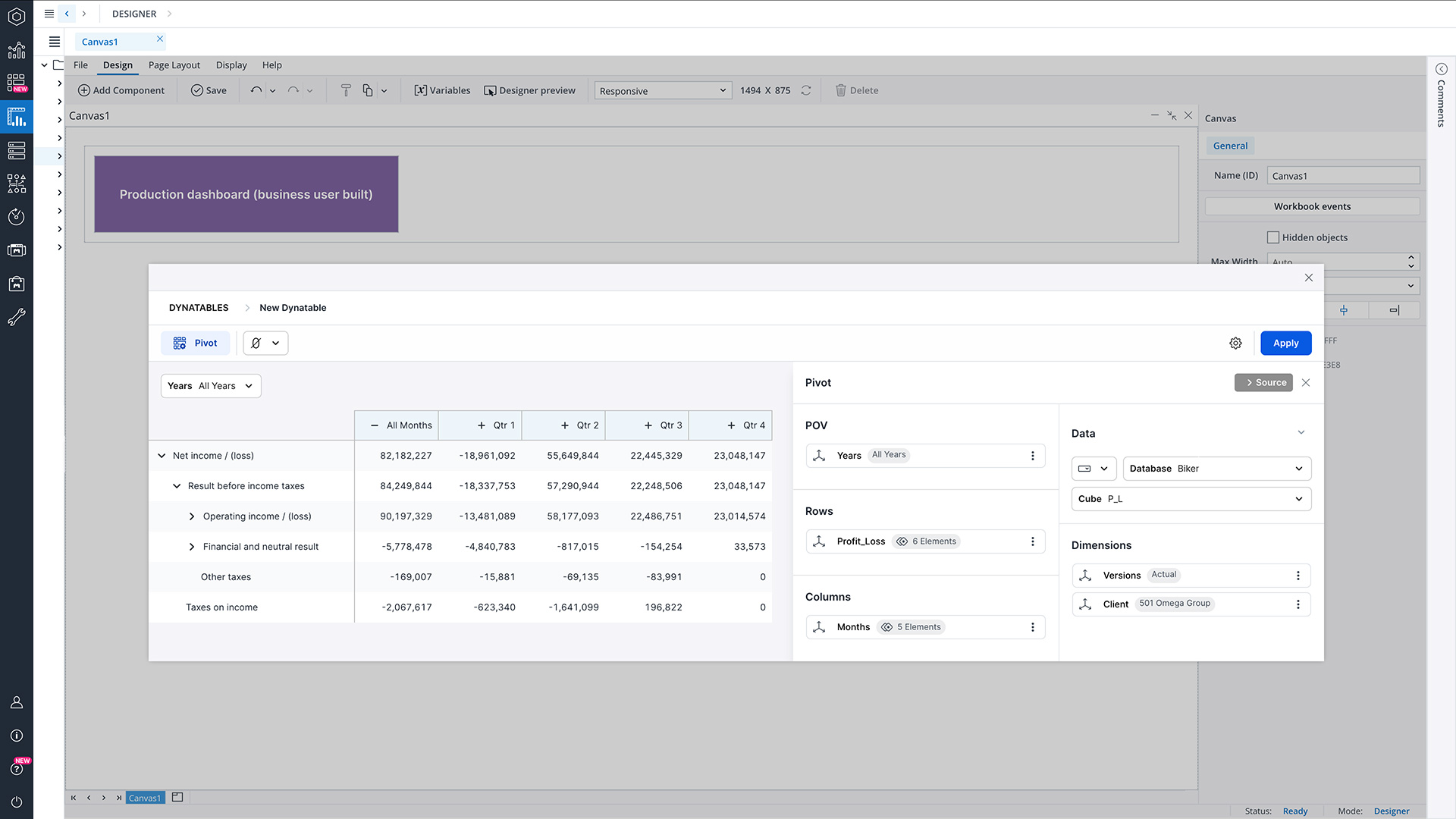
Analysts get everything they need to move fast: Excel-like web sheets, advanced modeling access, guided workflows, and seamless drill-downs. Whether building scenarios or validating assumptions, they work in familiar patterns—supported by centralized logic and trusted data.

Modelers: Design with control and clarity

Model builders benefit from structured web experiences, governed inputs, and consistent logic across cubes and dimensions. Jedox provides the precision they need to maintain complex models while giving them intuitive tools to test, refine, and deploy planning structures.

Report builders: Create and share with confidence

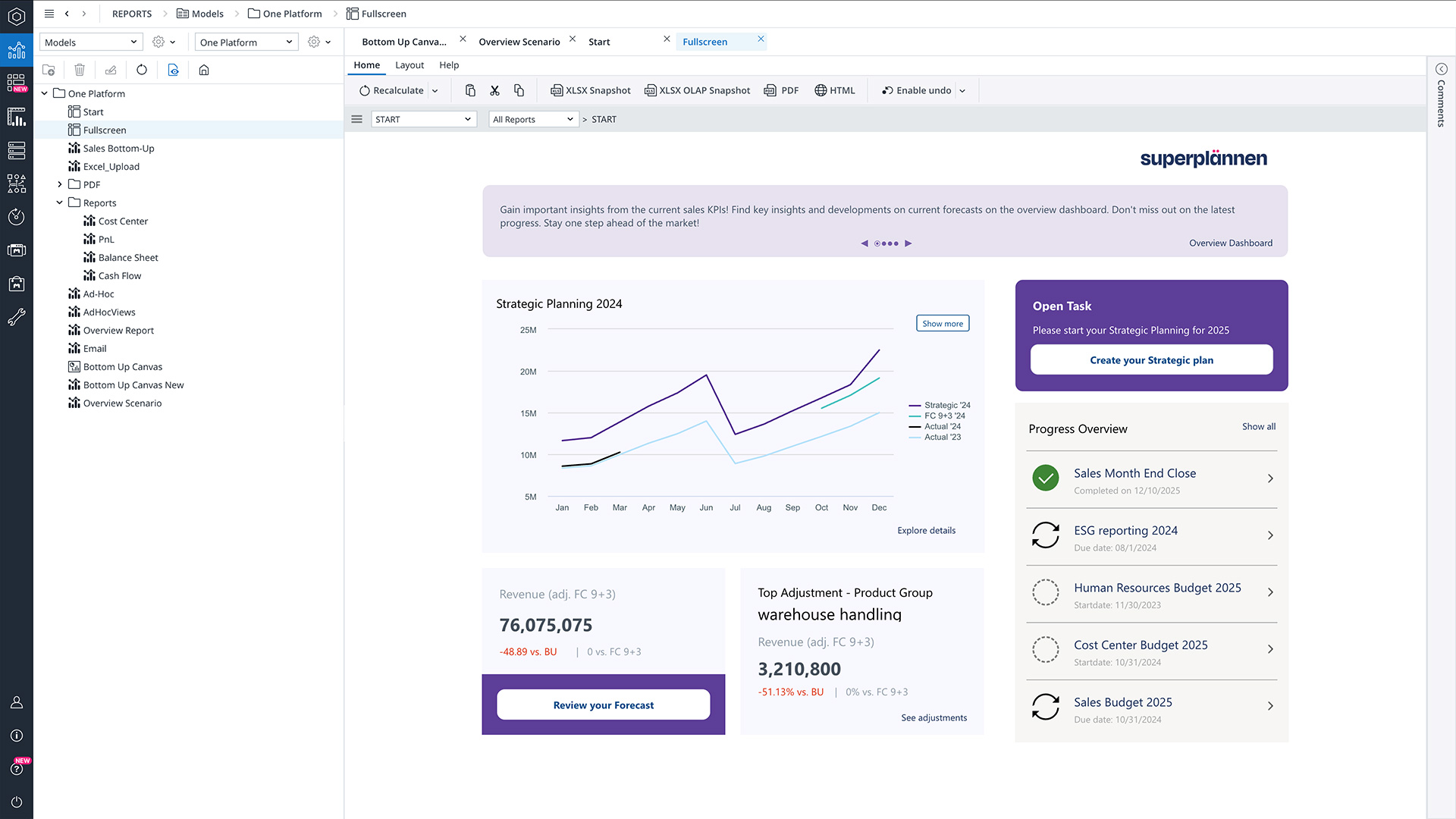
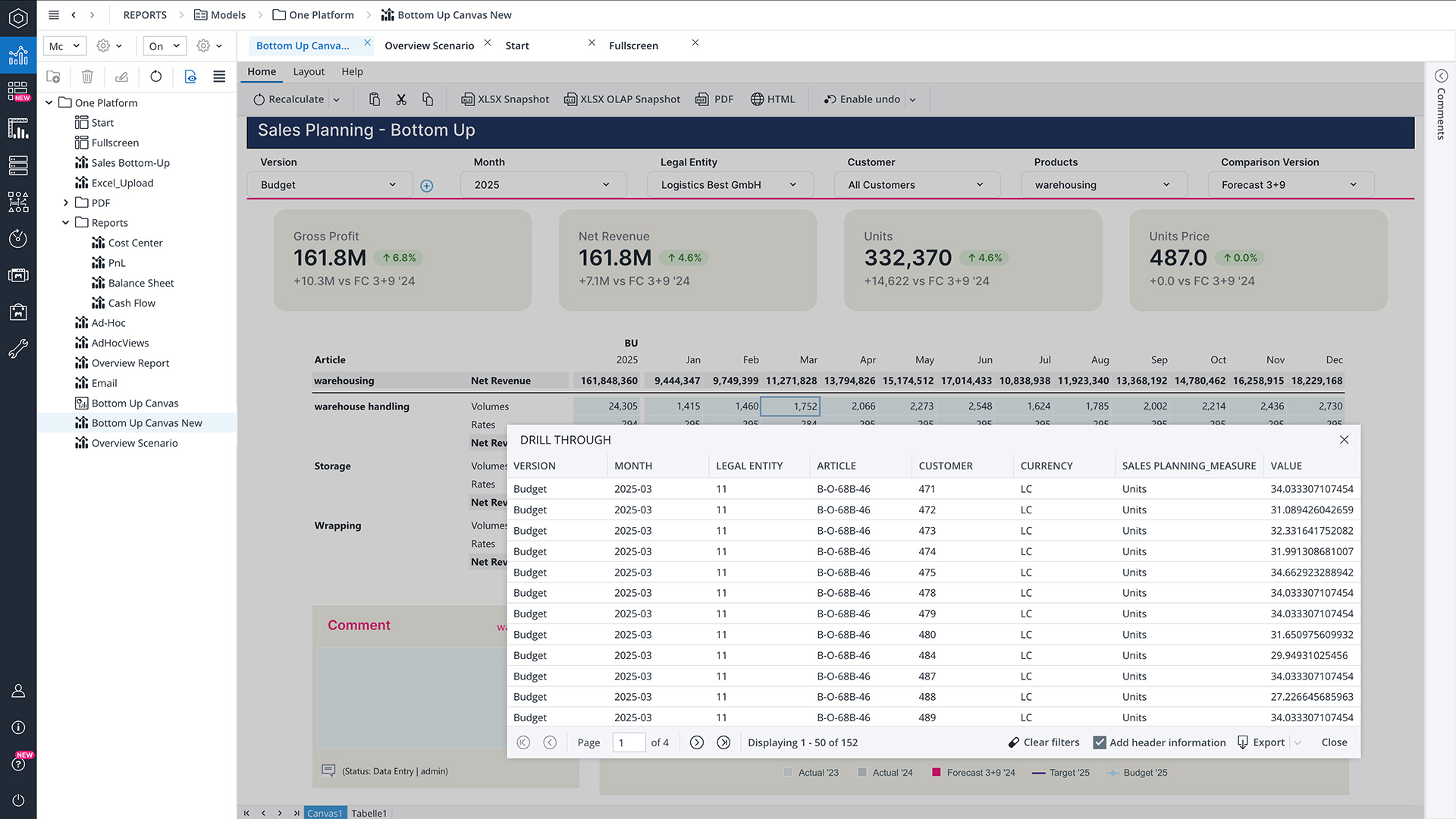
Report creators enjoy a clean, guided environment for dashboards, spreadsheets, and Canvas apps. They can build visual stories, assemble KPIs, and publish tailored views for stakeholders—without overwriting data or breaking structures.

End users: Simple, focused, and easy

Business users get exactly the inputs, views, and workflows they need—no training curve, no complexity. Whether entering forecasts, approving budgets, or reviewing reports, they see a clean, intuitive interface tailored specifically to their role and responsibilities.

jedox platform user xperience excel using

Excel-optimized budgeting, forecasting, planning, and reporting

Jedox empowers Finance teams to plan in a familiar, spreadsheet-native environment—starting with our Excel‑like web experience. Work directly in Jedox through a browser-based interface that mirrors Excel’s usability, layout, and formula logic, combining the comfort of spreadsheets with the control of an enterprise planning platform. For those who prefer to stay in Excel, the Jedox Excel Add‑in provides connected, real-time planning with write‑back, versioning, and centralized business logic. Both experiences ensure seamless access to consistent data and deliver fast adoption across all contributors.

  • Excel‑like web spreadsheets with formulas, formatting, and spreadsheet logic
  • Excel Add‑in for connected planning directly inside Microsoft Excel
  • Centralized models and validations for trusted collaboration
  • Minimal learning curve and rapid adoption

Microsoft 365 Add-ins: Bring live planning data into your documents

Bring your data into Word and PowerPoint. Jedox extends your planning capabilities beyond Excel by bringing up-to-date figures into PowerPoint and Word. Finance and Reporting teams can turn models and insights into polished presentations and narrative documents—without copying numbers or rebuilding charts. Content refreshes on demand, keeping slides and documents aligned with the latest versions and scenarios. This makes it easy to handle executive questions, last-minute updates, and ad-hoc reporting requests with confidence.
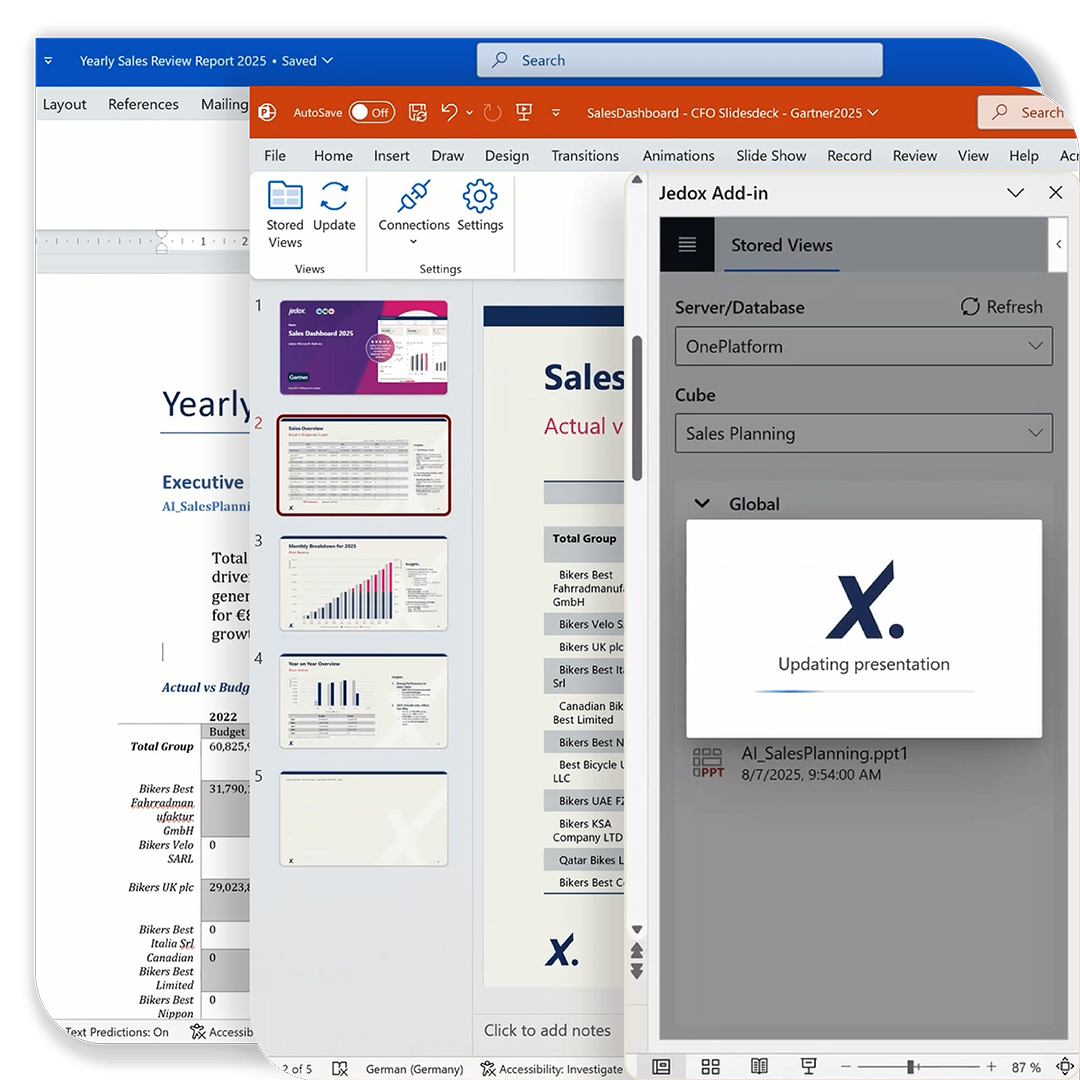
  • Refreshable tables and charts embeded: Jedox-connected content in documents and slides, updating whenever you refresh—no manual adjustments required.
  • Instant updates, no reformatting: Charts, tables, and KPIs retain their structure, layout, and formatting when refreshed to reflect new data.
  • Reusable templates for recurring cycles: Standardize deliverables such as budget books, QBR decks, ESG summaries, and monthly reporting packages.

  • Board-ready outputs with minimal effort: Avoid copy-paste, reduce errors, and produce polished, presentation-ready results—even under tight deadlines or ad-hoc requests.

jedox platform user xperience word powerpoint
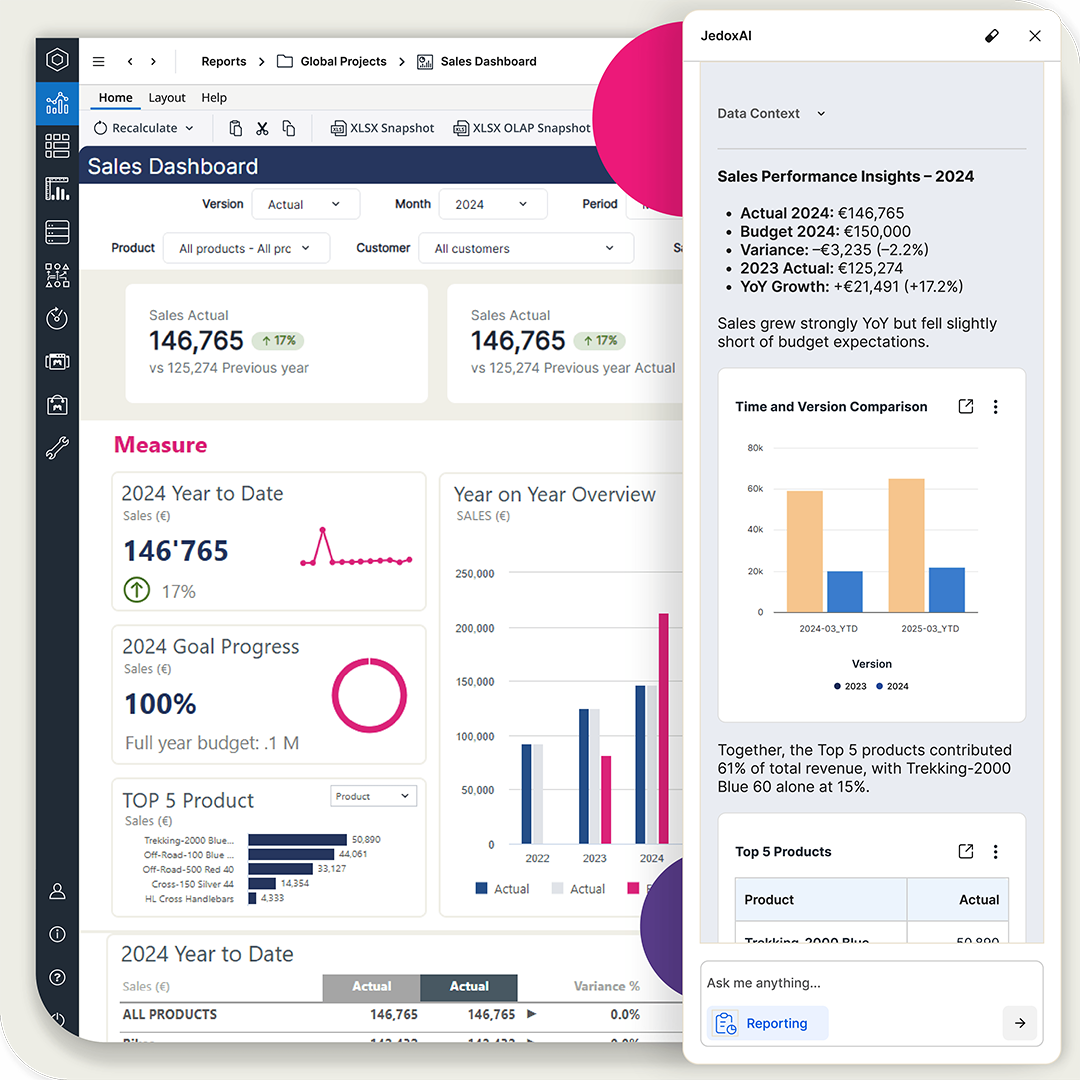
jedox platform user xperience ai

Jedox web experience: Structured, interactive, and governed

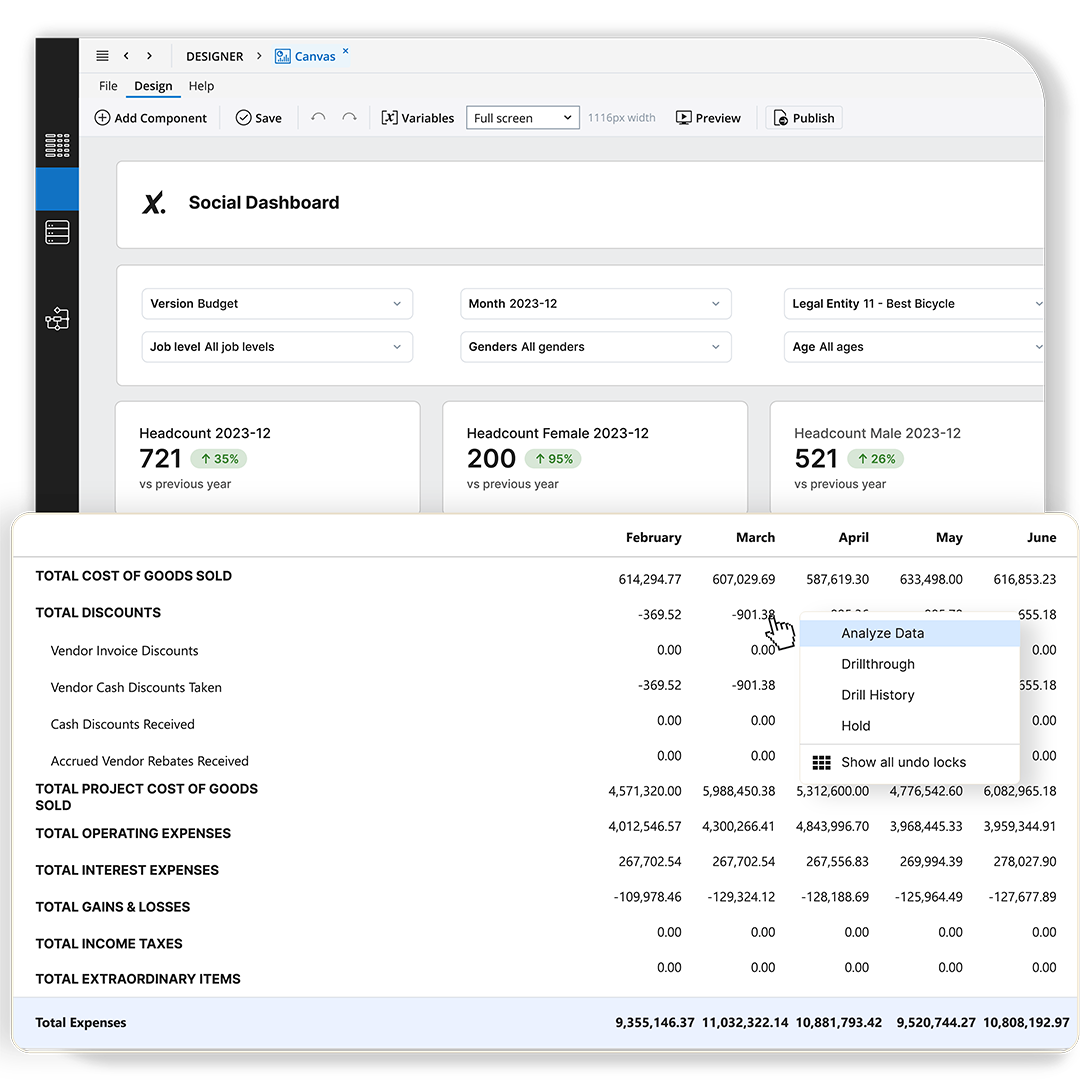
Jedox is 100% web‑based—giving planners, reviewers, and modelers full access from anywhere with only a browser. The web interface combines ease of use with enterprise‑grade control. Create governed web spreadsheets, dashboards, and approval workflows without coding. Plan, review, and comment in a secure browser environment that’s always up to date. Use filters, drill-downs, and validations to guide input. Everyone works in one version of the truth, reducing errors and improving collaboration across roles and teams.

  • Web-based forms, dashboards, and reports with live data
  • Structured input with validations, roles, and workflows
  • Full traceability and comments for transparent collaboration
  • No local files, no version chaos

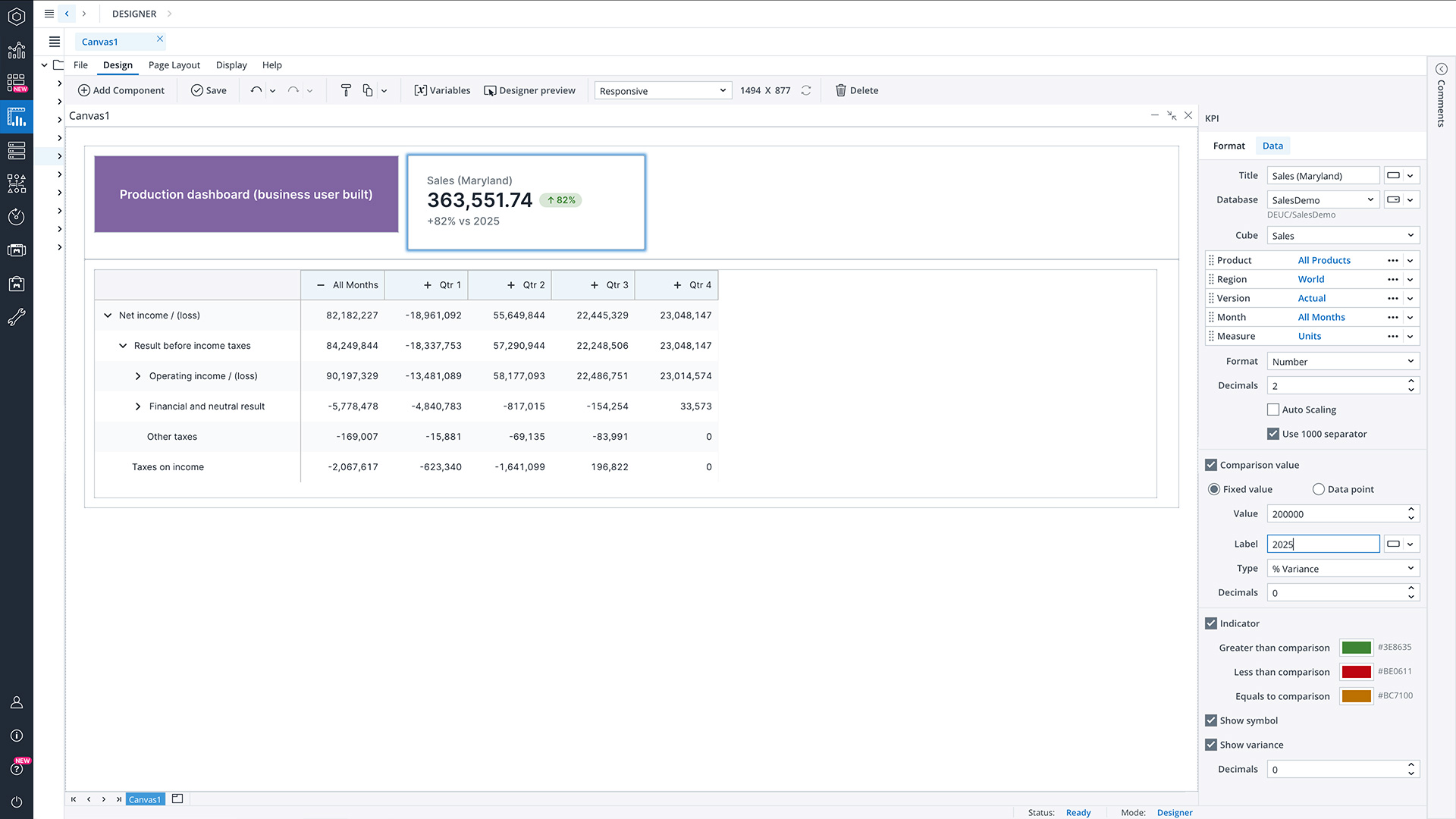
Jedox Canvas

Responsive, free-scrolling, and interactive pinboard for Jedox visualizations, views, actions, and more
jedox platform user xperience analyze data

Reporting, analytics, and simulation: From insight to action

Jedox turns every user into an empowered decision-maker. With intuitive, self-service analytics and ad-hoc exploration, teams can drill into drivers, slice data across dimensions, and uncover insights instantly, without relying on technical support. Reports, dashboards, and simulations all sit on top of the same governed planning model, so insights always reflect the latest assumptions and inputs.

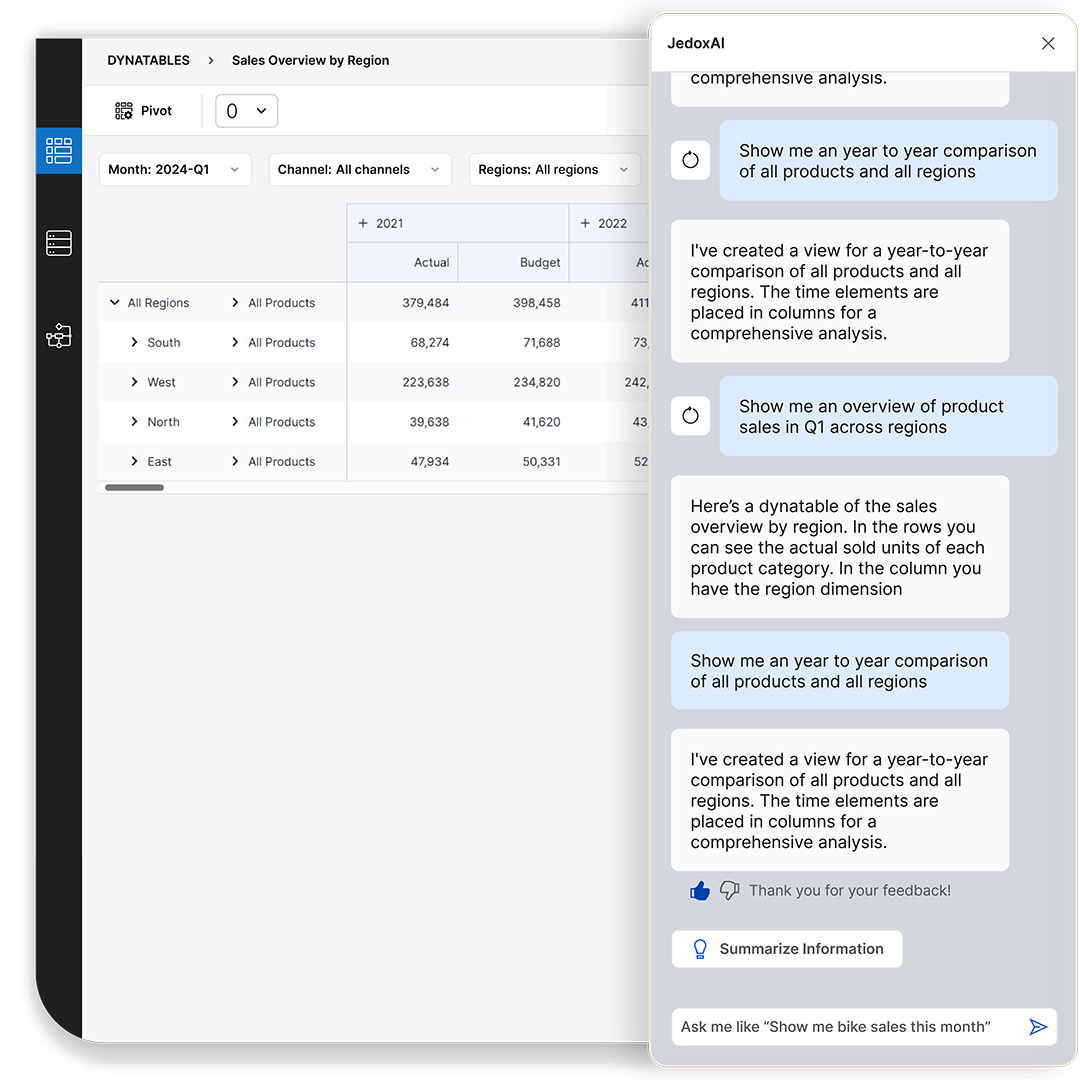
JedoxAI elevates analysis even further: users can ask natural-language questions and generate insights on demand—transforming AI into a true business partner for Finance.

  • Self-service reporting, ad-hoc analysis, and multidimensional exploration

  • AI-powered Q&A and insight generation for end-user independence
  • Scenario modeling and what-if simulations with write-back
  • Dashboards, variance reporting, and rolling forecasts in real time
  • Consistent KPIs through one connected planning model

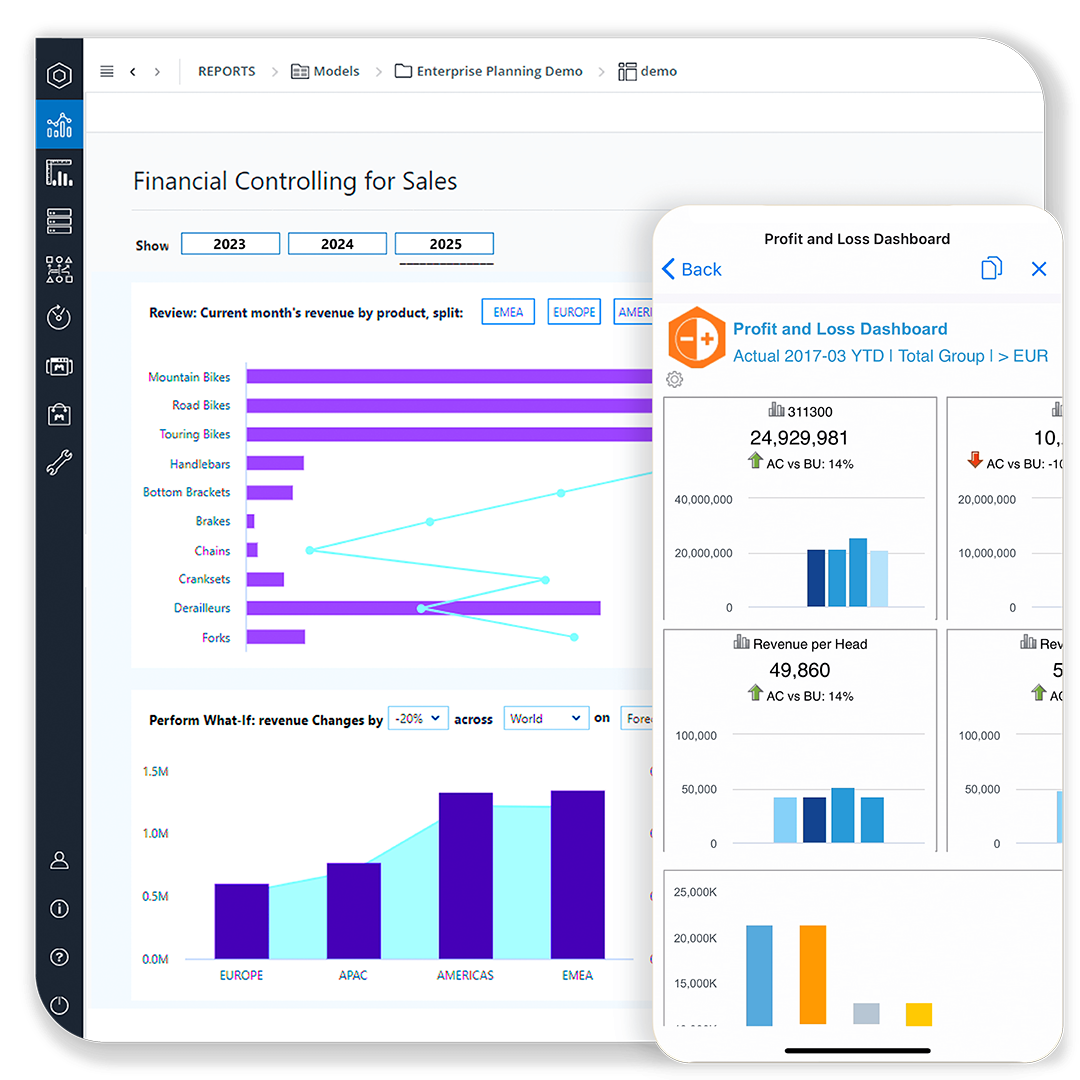
Mobile app: Approve, adjust, and act from anywhere

Jedox Mobile keeps decision-makers connected—even when they’re away from their desks. Review reports, submit inputs, or approve tasks directly from your phone or tablet. Mobile sessions stay synced with your models, workflows, and user rights—so nothing gets lost and nothing breaks. It’s the same data, logic, and control—just in your pocket.
  • Access reports, forms, and dashboards on mobile
  • Approve plans and update forecasts on the go
  • Secure and role-based access, fully integrated
  • Perfect for executives, reviewers, and field teams
jedox platform user xperience mobile
jedox platform user xperience bi tool integrations

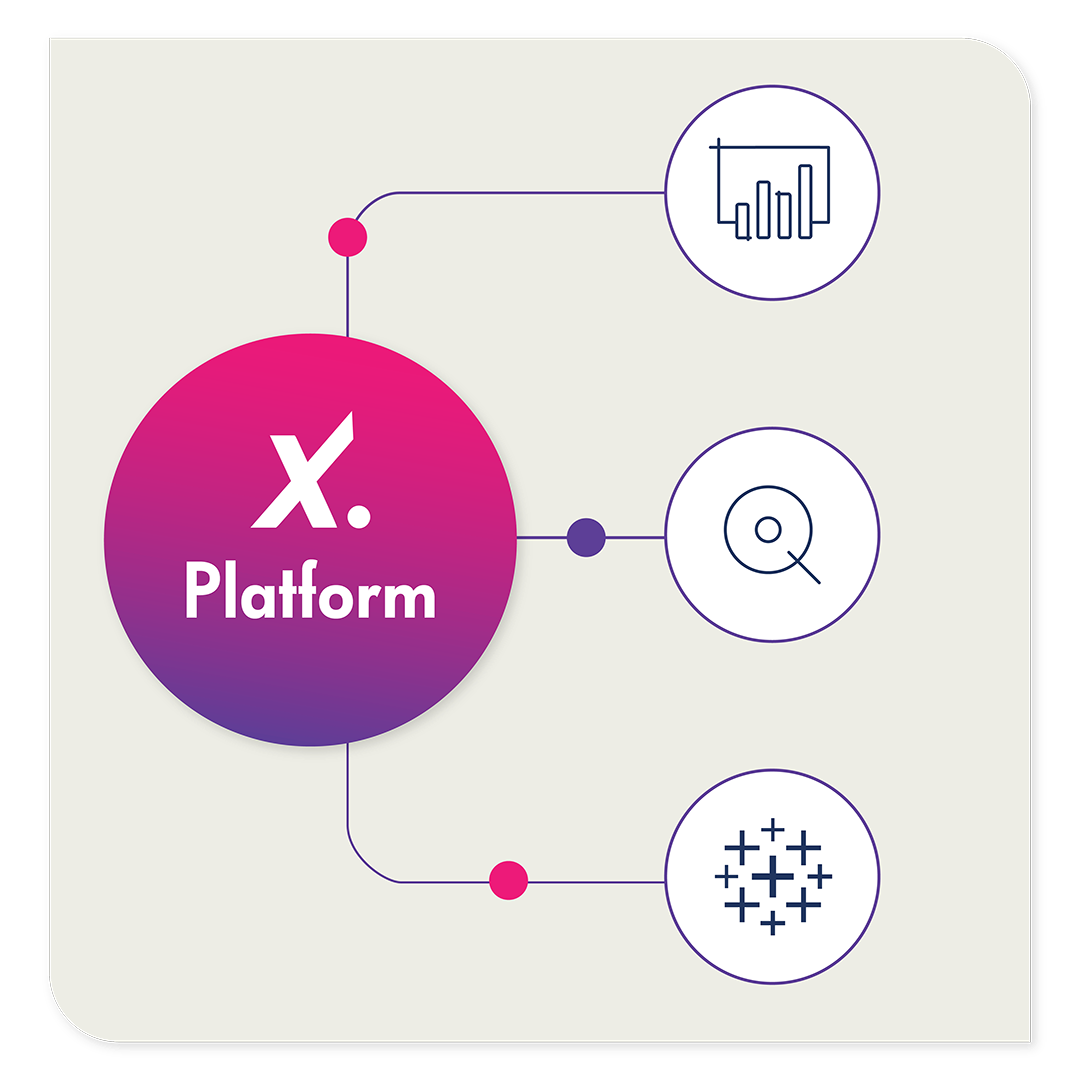
Already using Power BI, Qlik, or Tableau?

Jedox enhances your existing BI investment by adding planning, write-back, and workflow. With the seamless Jedox Planning Add-in for Power BI, you plan and write back directly inside Power BI—while Qlik and Tableau users benefit from the same governed, connected planning experience. You keep your analytics layer and gain a collaborative environment to plan, simulate, and steer performance.

One data foundation. One access point. No silos.

What it’s like to work with Jedox

Within a three-month time period, from signature to go-live, we transformed the way the financials for the company are structured and presented.

Charlie Gaddis
Chief Financial Officer
Libra Industries

logo dIeteren automotive
One unified sales platform delivers insight to 2,500 users
logo smart
smart Europe uses Jedox for flexible corporate management
customer ifco logo
From 1,000+ Excel sheets to automated efforts
FAQ

Frequently asked questions

Financial analysts work across Excel-like web spreadsheets, dashboards, and Canvas views to slice data, drill down to drivers, and run variance analysis. They use guided inputs, filters, and structured workflows to build reports without breaking formulas or models. JedoxAI enhances exploration by allowing analysts to ask natural-language questions, generate insights instantly, and validate assumptions.
Analysts use the Jedox Excel Add-in to access governed planning data directly inside Excel. They can enter forecasts, run top-down or bottom-up inputs, analyze variances, and write back to the central model—all using native Excel formulas, charts, and pivots. This gives analysts full flexibility with full control, without manual file consolidation or version chaos.
Planners use Jedox’s structured web interface to submit forecasts, adjust assumptions, and complete assigned tasks. Validations, role-based permissions, and guided workflows ensure each input is complete, consistent, and approved in the right sequence. Drill-downs, comments, and audit trails make collaboration smooth and transparent.

Model builders use web spreadsheets, Canvas layouts, and governed forms to define dimensions, maintain cube structures, and deploy planning logic. They test assumptions, refine KPI logic, and build reusable input screens without coding. Because all users rely on the same governed UI, models remain consistent and stable across the organization.

Report builders use Canvas, dashboards, and the Microsoft 365 Add-ins to publish visual stories and narrative documents. They assemble KPIs, design layouts, and refresh charts and tables on demand—keeping QBR decks, budget books, or monthly packages always up to date. No copy-paste, no reformatting, and no risk of outdated numbers.

End users work in simple, focused interfaces built specifically for their tasks. They receive only the views and inputs relevant to them—reviewing reports, entering numbers, approving budgets, or commenting on variances. With no technical complexity or spreadsheet risk, adoption is fast and accuracy increases across every cycle.
Executives and reviewers use the Jedox Mobile App to approve tasks, monitor KPIs, review dashboards, or adjust forecasts from anywhere. Mobile access respects all roles, rights, and workflows, ensuring decisions remain aligned with the central planning model—even when users are away from their desks.
FP&A teams build planning screens using Excel-like logic in the web or through the Excel Add-in. Spreadsheet expertise transfers directly into governed, centralized structures with version control, auditability, and workflow guidance. Teams keep the flexibility of Excel while gaining the reliability of an enterprise platform.
Analysts adjust drivers, run top-down spreads, or compare multiple versions directly within web spreadsheets or Canvas. Write-back logic updates the central model instantly after each run. JedoxAI accelerates scenario creation by generating predictive baselines or highlighting key drivers that impact outcomes.
Jedox unifies all Excel, web, mobile, and BI interfaces on one governed planning model. KPIs, definitions, formulas, versions, and assumptions originate from the same logic and the same data foundation. Whether viewing dashboards, spreadsheets, PowerPoint decks, or mobile screens—everyone sees the same numbers, every time.
Request your live demo with a Jedox expert today