




Gartner® Magic Quadrant™ Leader

Expand Excel. Control planning. Forecast with confidence.

  • Familiar, Excel-like experience, right in your browser
  • Automatically integrate ERP and business data
  • Plan and forecast in Excel with connected real-time data
jedox excel hero cutted
lrg logo inverted
logo henkell inverted
logo telekom inverted
Join +2,900 companies using the Jedox platform
tomtom logo white
logo tonys inverted
logo dIeteren automotive white

96% of FP&A professionals still use spreadsheets for planning

Finance teams use Excel because it is flexible, familiar, and powerful. But when planning depends on disconnected spreadsheets, Finance leaders need more control. Jedox helps Finance teams in UK expand their Excel-based planning through automation, governance, and connected FP&A.

Turn disconnected spreadsheets into connected planning.

Before

  • Spreadsheet-only planning
  • Manual consolidation
  • Version control issues
  • Static files
  • Slow updates
  • High spreadsheet risk
superplannen arrow right
superplannen arrow down

With Jedox

  • Excel-connected FP&A
  • Automated workflows
  • One trusted planning source
  • Dynamic planning models
  • Faster rolling forecasts
  • More governance and control
jedox platform

When Excel-based planning starts to slow Finance down

Finance teams have long relied on Excel, and that expertise should continue to add value as planning evolves. Jedox brings spreadsheet power into the browser with an interface that looks, feels, and behaves like Excel, but runs on a centralized, governed planning platform. Build structured planning screens, convert existing spreadsheet logic into secure web applications, and give every contributor a simple, guided interface that fits their role.

Keep the flexibility Finance love. Add the control growing businesses need.

  • Familiar, Excel-like experience, right in your browser
  • Full keyboard shortcuts, cell-based formulas, and drag-and-drop
  • Plan and forecast in Excel with connected to real-time data

Connect every system. Power every FP&A decision.

Jedox connects seamlessly to your most important business systems and analytics tools—CRM, ERP, BI, and more. Through prebuilt connectors, the OData Hub, and the Jedox Integrator, FP&A teams can unify data from across the enterprise without IT bottlenecks. Every connection adheres to Jedox’s security model and governance standards, ensuring performance, transparency, and control.

Unify your data foundation across systems.
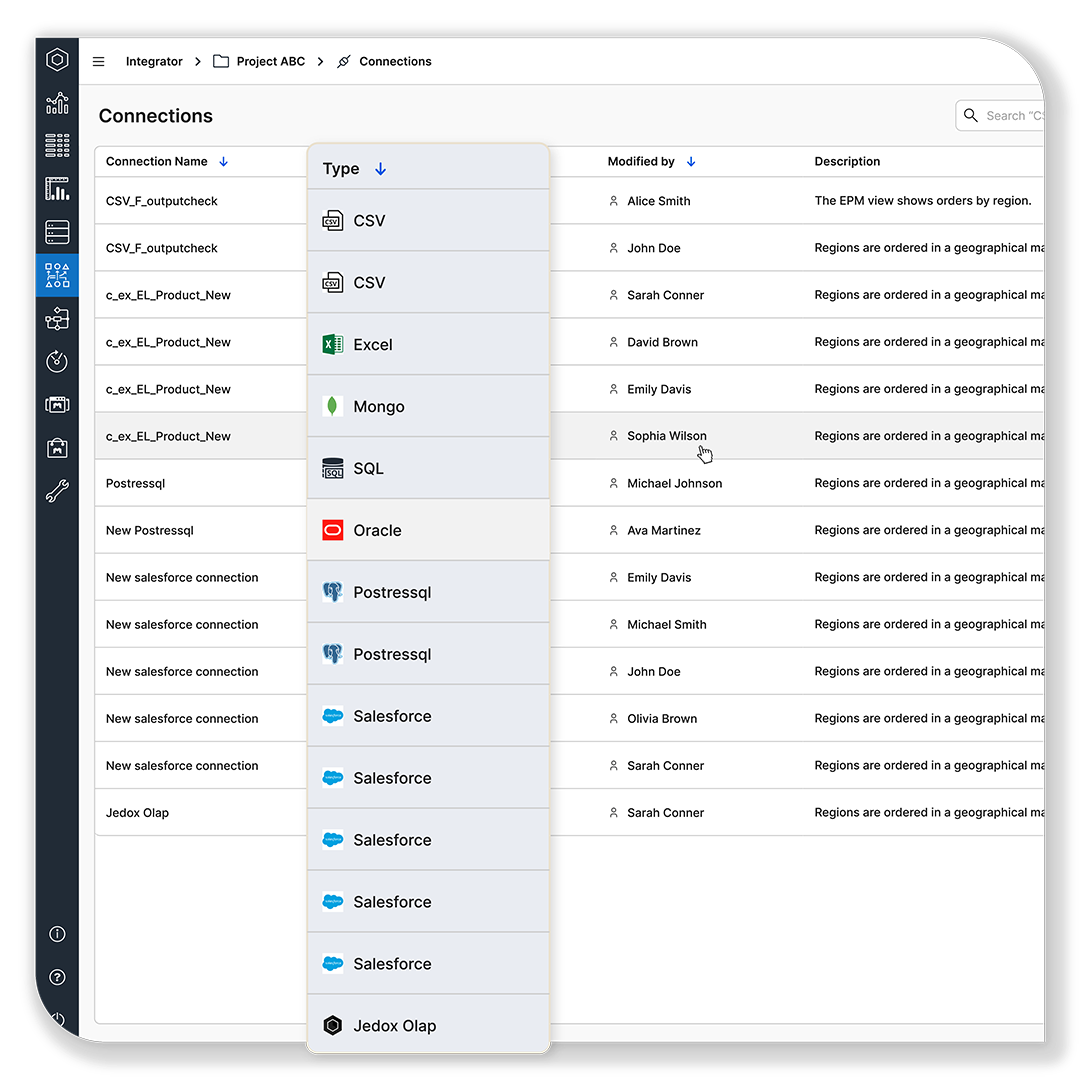
  • Connect all your business data—fast, secure, and IT-free
  • Unify every source with AI-supported automation
  • Empower Finance to own data and plan with confidence
jedox platform data integration unify data
jedox platform modeling excel add in

Expand Excel into connected planning

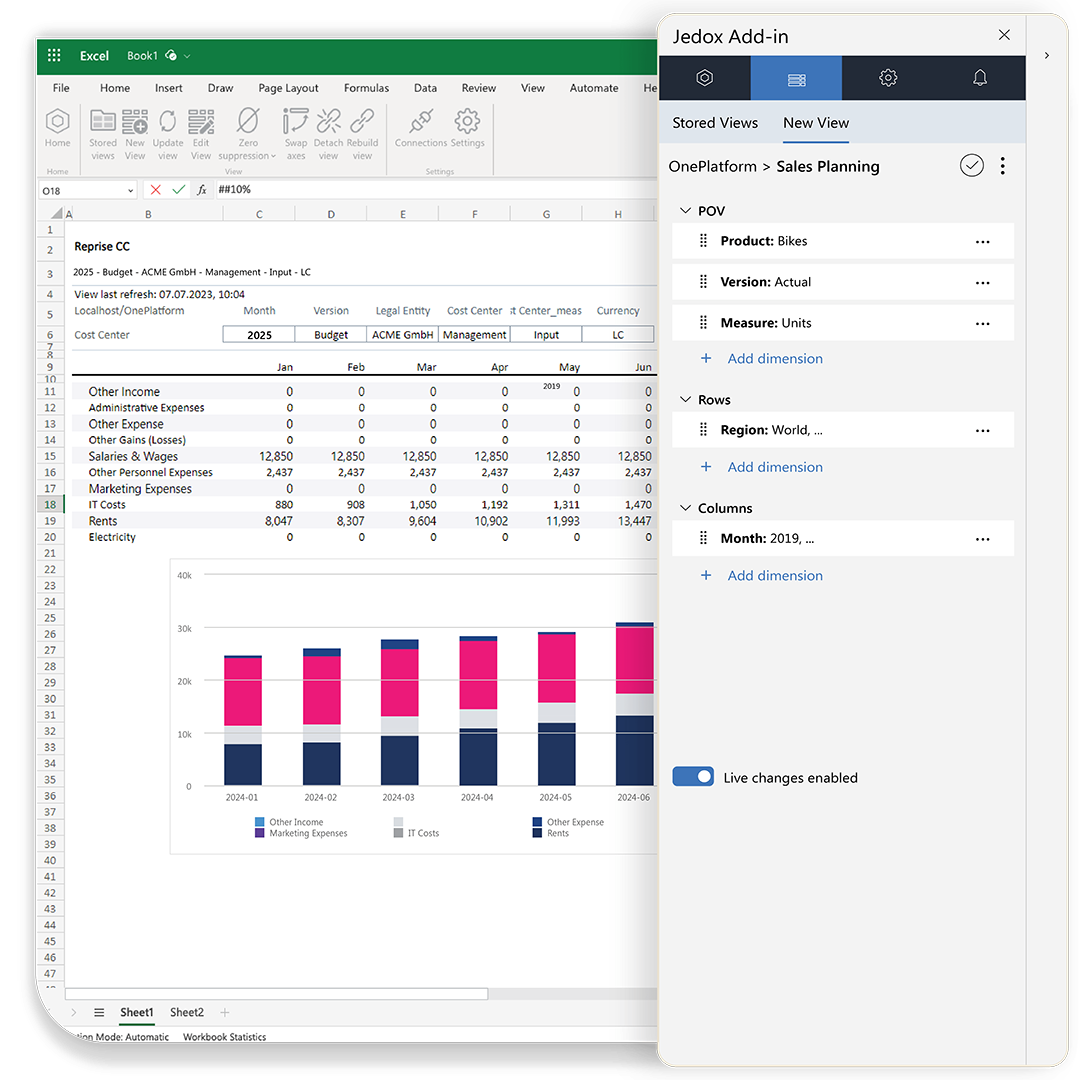
For planners who prefer to work directly in Microsoft Excel, the Jedox Excel Add‑in provides governed, real‑time access to centralized planning data. Combine the full power of Excel—formulas, charts, pivots, formatting—with enterprise‑grade structure, consistency, and write‑back control. Plan, analyze, and forecast securely inside the tool Finance knows best, without IT support or manual spreadsheet maintenance.

Keep Excel. Add planning control.

  • Real-time, secure access to centralized planning data
  • Use Excel’s full power: formulas, charts, pivots, forms, and formatting
  • Build structured, enterprise‑grade planning interfaces using Excel

Over 2,900 global Finance teams use Jedox for a reason

Jedox can help other businesses bring together disparate sets of data, move away from crunching numbers in Excel. It’s a powerful tool for planning and budgeting.

James Webb
Head of FP&A, LRG

logo dIeteren automotive
Single source of truth drives integrated business planning forward at D’Ieteren Automotive
logo lrg
One platform, one source of truth: LRG’s fast-track to smarter Finance
Samson logo
60 subsidiaries transition consolidation and controlling process from disconnected Excel
Within a three-month time period, from signature to go-live, we transformed the way the financials for the company are structured and presented.

Charlie Gaddis
Chief Financial Officer, Libra Industries

logo mercedes
From 1,000+ spreadsheets to a unified platform
logo zertus
768 monthly Excel reports replaced by Jedox
logo eurazeo
From complex spreadsheets to implementation in only two months
jdx landingpage cutted square

Just a few more steps to see Jedox in action

Get a quick demo of our intuitive, Excel-like performance management software

  • Share some details: Tell us about your team’s needs so we can tailor the demo just for you.

  • See Jedox work live: Watch how Jedox helps teams plan, budget, and forecast in a fraction of the time.

FAQ

Frequently asked questions

Analysts use the Excel-like web experience to design input sheets, create formulas, and structure planning logic using familiar spreadsheet patterns. They can convert existing Excel workbooks into governed web applications, keeping their spreadsheet knowledge while gaining centralized logic, validation rules, and secure collaboration.
Planners work directly in Microsoft Excel using the Jedox Excel Add-in. They connect to centralized planning data, submit forecasts, analyze variances, and write back instantly using native Excel formulas, pivots, and charts—without copying files or relying on IT.
Jedox replaces offline spreadsheets with a governed planning environment. All inputs, adjustments, and scenarios are written back to centralized models with audit trails and controlled versioning. This eliminates email files, manual consolidation, and multiple conflicting versions of the truth.
Teams build calculations in either the Excel Add-in or the Excel-like web interface, both of which apply centralized business logic rather than local spreadsheet logic. This ensures formulas remain consistent, inputs are validated, and no user can accidentally break structures or overwrite logic.
Analysts adjust drivers, switch versions, or create new scenarios directly inside Excel using the Add-in. Each change writes back to the unified planning model, allowing immediate comparison of assumptions, versions, or organizational slices—without creating separate spreadsheets.
Business users interact through simple, guided web forms that mirror the structure of Excel without exposing formulas or complexity. They enter numbers, approve tasks, or review results using a clean interface designed specifically for their role and process.
Jedox enforces role-based access, cell-level validations, workflow guidance, and full audit trails across both Excel and the web. Whether users plan in the browser or in Excel, data entry is controlled, consistent, and aligned with the central planning logic.
Expand Excel-based planning with Jedox